by the limitation on map download i meant the size of area i can download at once. I can download a big portion of map area on Gaia when I got it working (sometimes putting it in airplane mode with wifi on works) whereas onX requires me to break a large area into small chunks to download.
1 Like
I had used wireless CarPlay and hated switching back and forth from the head unit to Starlink for WiFi. Ended up using wired CarPlay. Way less of a headache now.
1 Like
yeah that’s an option but i hate to keep plugging in and unplugging lol
i’ve messed up a phone like that before. in a way it’s better because it’s less distraction for me while driving anyways. there’s no social media app or anything on the ipad, so no one can reach me via messenger when i don’t have cell signal.
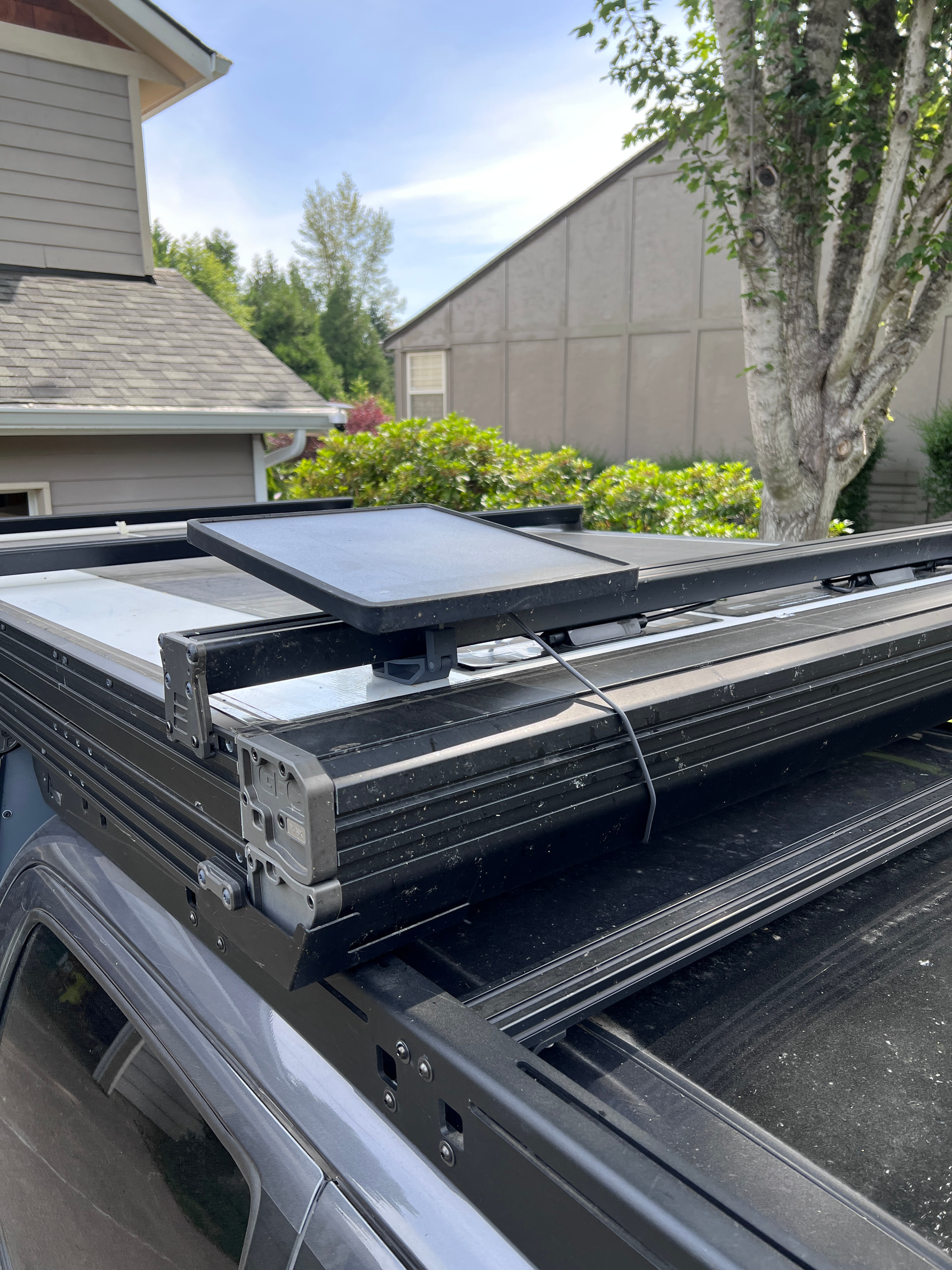
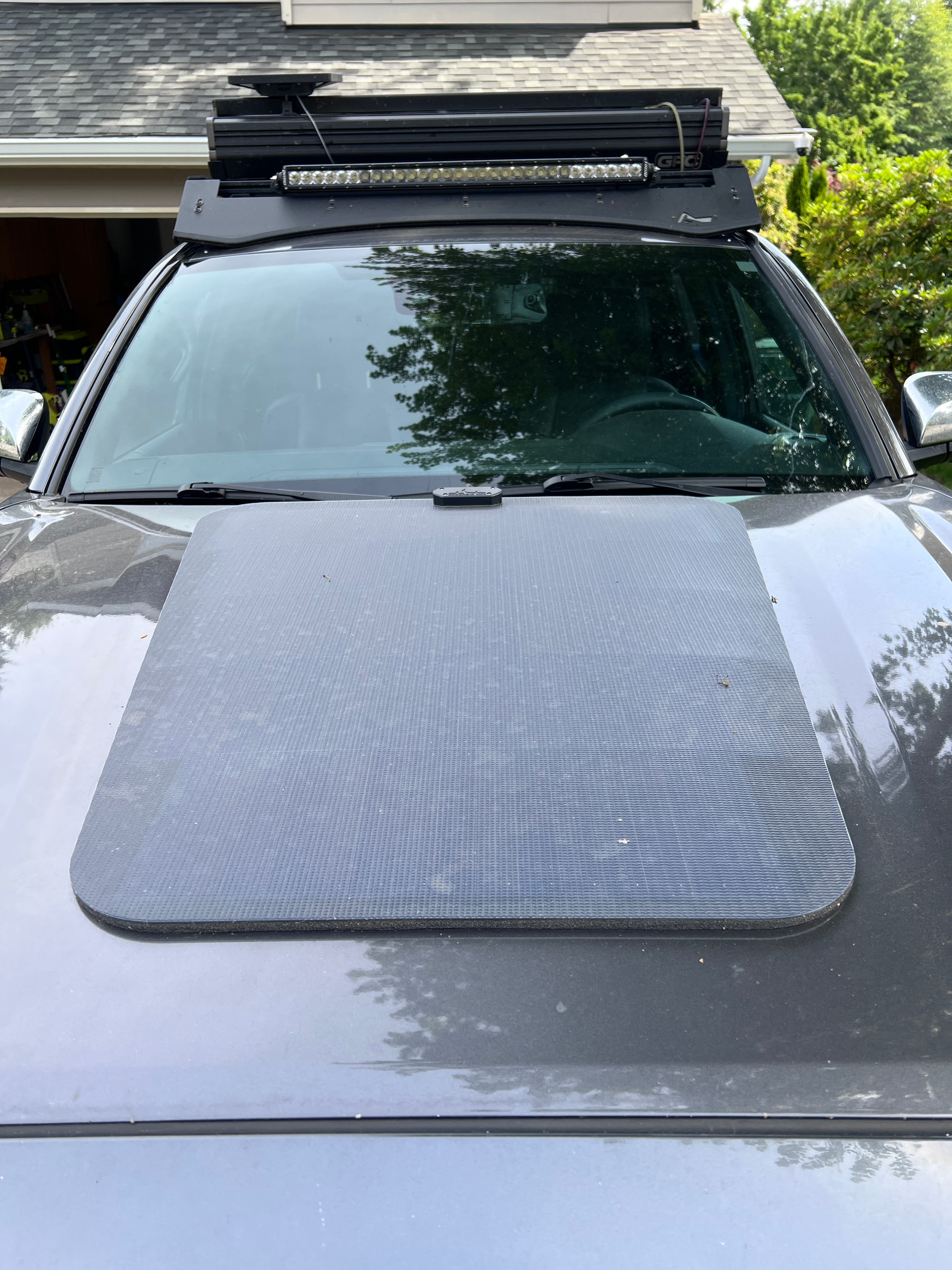
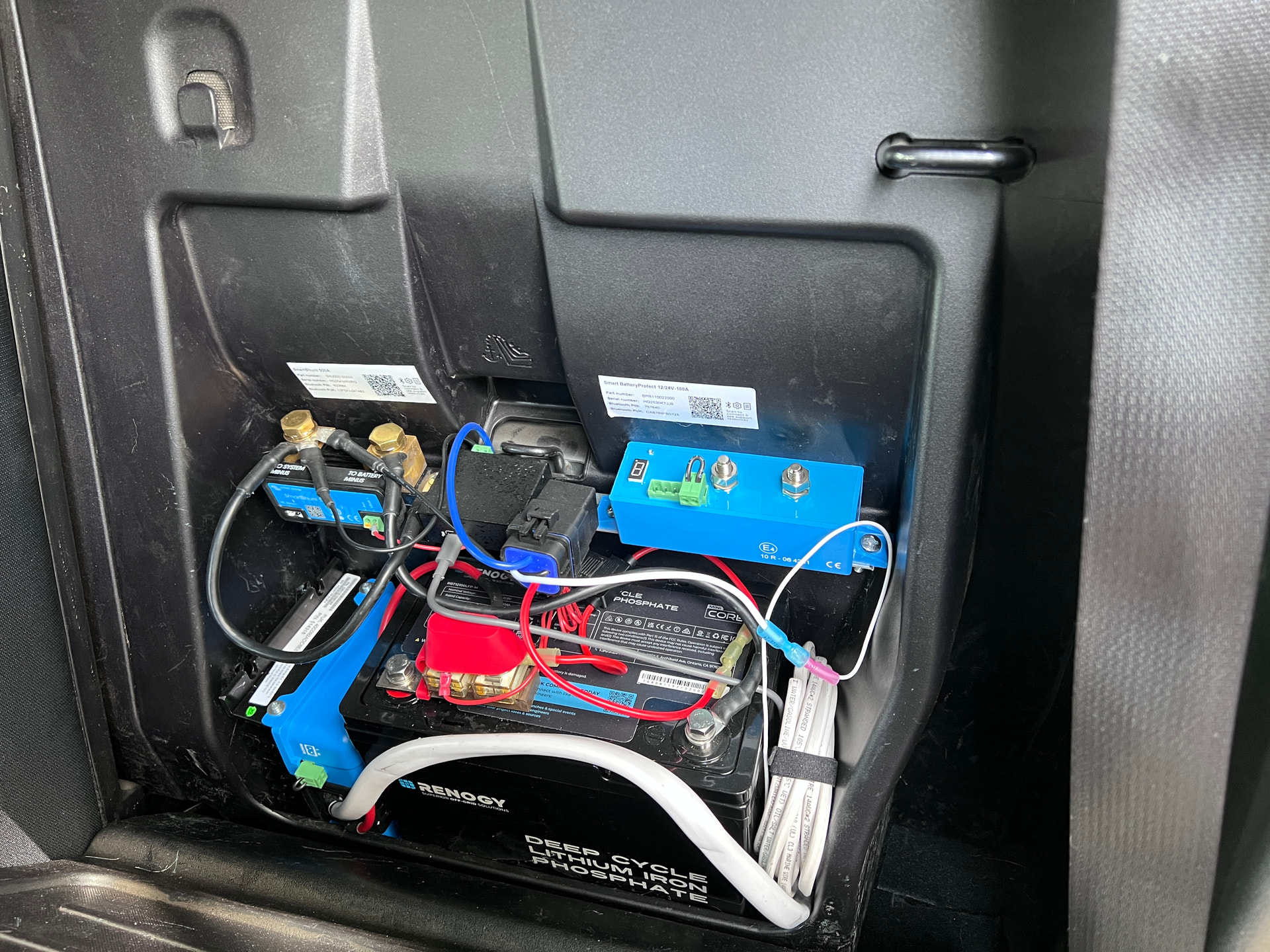
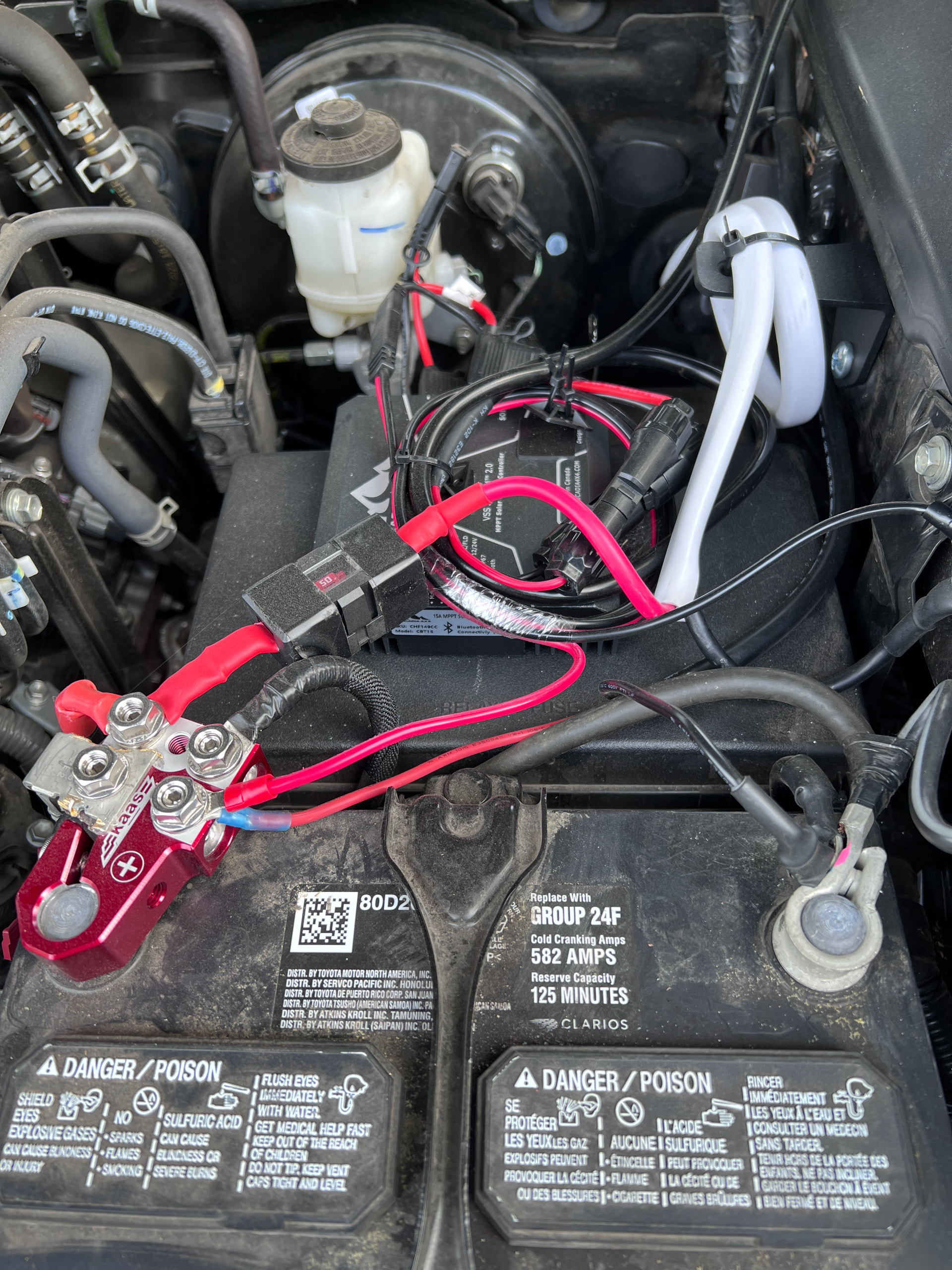
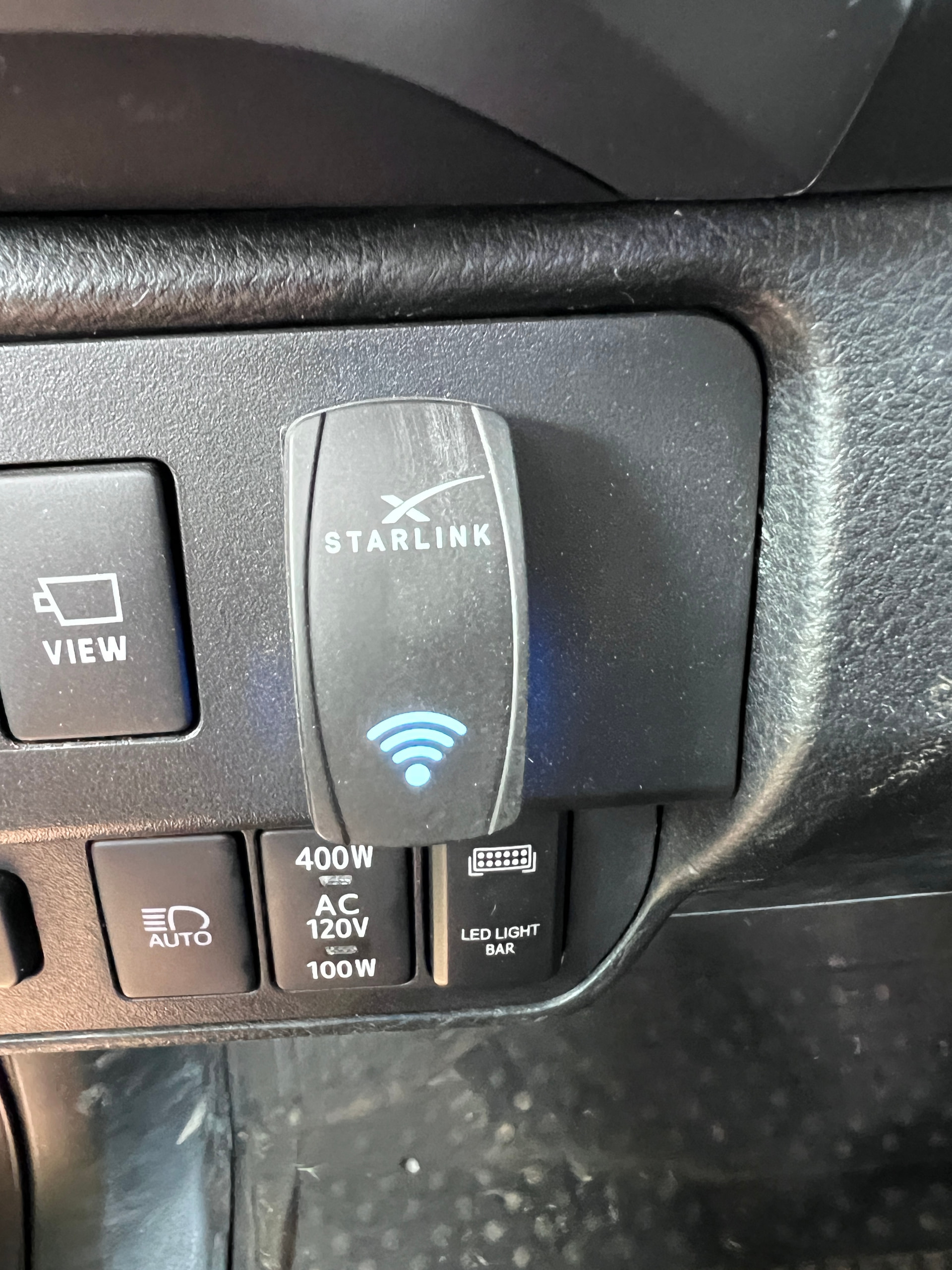
Here is my setup: I also use GAIA and rather than download apps I rely on real time data. If I have a technical failure I have a Garmin GPS unit for backup. Originally I have my starlink plugged into my Jackery via the AC adapter but, that was using up battery like crazy. The inverter uses up power even if nothing is using it, I was seeing a 1/3 drain in my overall battery over 2 hour period. Something had to change. I set up a dc/dc converter and added a hood mount solar panel feeding a renogy battery. I hooked up a USB-C DC converter and plugged the Starlink into that. I added a switch so I can turn it off any time. However, what I found was even with the Starlink on all night (no solar or battery charging) my renogy max drop was 14%. Amazing difference.
Edit: I should have been more specific on the energy consumption from AC to DC. Moving to DC was about 8-10x more efficient. I used up about 650 Wh over about 2 hours of usage on AC and on DC I used up about 140 Wh over a 10 hour window. There were some variables that don’t allow me to get too specific such as I don’t know it was exactly 2 hours and I’m not sure how much of that 10 hours was getting any solar generation so its a rough estimate but, certainly a change to make if you run it on AC.
2 Likes
I need to look into setting up my SL Mini to use DC, you are not wrong about the massive use of power in AC mode
I purchased a couple of cables from Amazon that worked. Three weeks in Utah, plenty of dust, some rain and snow. Connect direct to DC switch.
https://www.amazon.com/dp/B0FZSRD8CS?ref=ppx_yo2ov_dt_b_fed_asin_title&th=1
Doesn’t that make it an always on connection?
This switch allows me to turn it on and off.
One other thing. The bonus of the hood mount solar panel is it charges my OEM battery as well, so unless it completely fails, I will never run out of juice that I can’t start it.
It pulls around 18w using the usb-c cable
1 Like
Which USB-C cable? Mine only came with the AC plug
I actually picked up the Starlink branded one as the first amazon one I tried didn’t work. The Starlink one is longer that I needed, but worked as soon as I plugged it in. Wasn’t that much more.
Ok, stupid question, I have been looking and looking and cannot find it online. By any chance do you have a link to get one?
Never mind, just ordered it through the app
1 Like
That’s what I’m using as well and pretty pleased with the low draw once it fires up.
Sorry it took long for me to reply, but glad you found it. I ordered mine off of their app
1 Like
Sorry I didn’t respond sooner and its too late now but here is the one I picked up. Amazon.com: Starlink Mini USB-C to DC Power Cable for Portable Satellite Terminal – 100W PD Compatible, Waterproof & Flexible Outdoor Charging Cord with Anti-Aging Copper Core(9.8FT/3M) : Electronics
Also, here is the DC to USB-c converter I used: Amazon.com: Coolgear ChargeIT! Mini 100W USB Type-C Power Delivery Charger - Secure Screw-Lock Connection, Multi-Protocol Fast Charging for Industrial & Heavy Duty Use : Cell Phones & Accessories
So, no problems driving 75 to 80 mph down the highway while the Starlink is mounted?
From what perspective? Do you mean the ability to maintain internet? Yes, it does maintain internet at 80 mph. You still have to be mostly unobstructed though so, if you are driving through heavily treed area, in a deep canyon etc. you are probably not driving 80 mph but you may have variable internet.
1 Like
I meant from the safety perspective. Will the mount in the initial thread hold the Starlink safely at those speeds.
Got ya! I didn’t start the thread so I can’t answer for the other mounts listed but mine does. I have the Starlink bar mount.
2 Likes